
>
Built for People Who Love Music

Streaming is for discovery.
SugarSpin is for ownership.

Your music. Your collection. Your server. Built for collectors who own their music, not rent it.

143K+
Tracks Tested
$0
Monthly Fees
100%
Yours

Your music, on every screen.

Desktop, iPad, iPhone, web. Same beautiful interface, same lossless library, streamed from your own NAS.
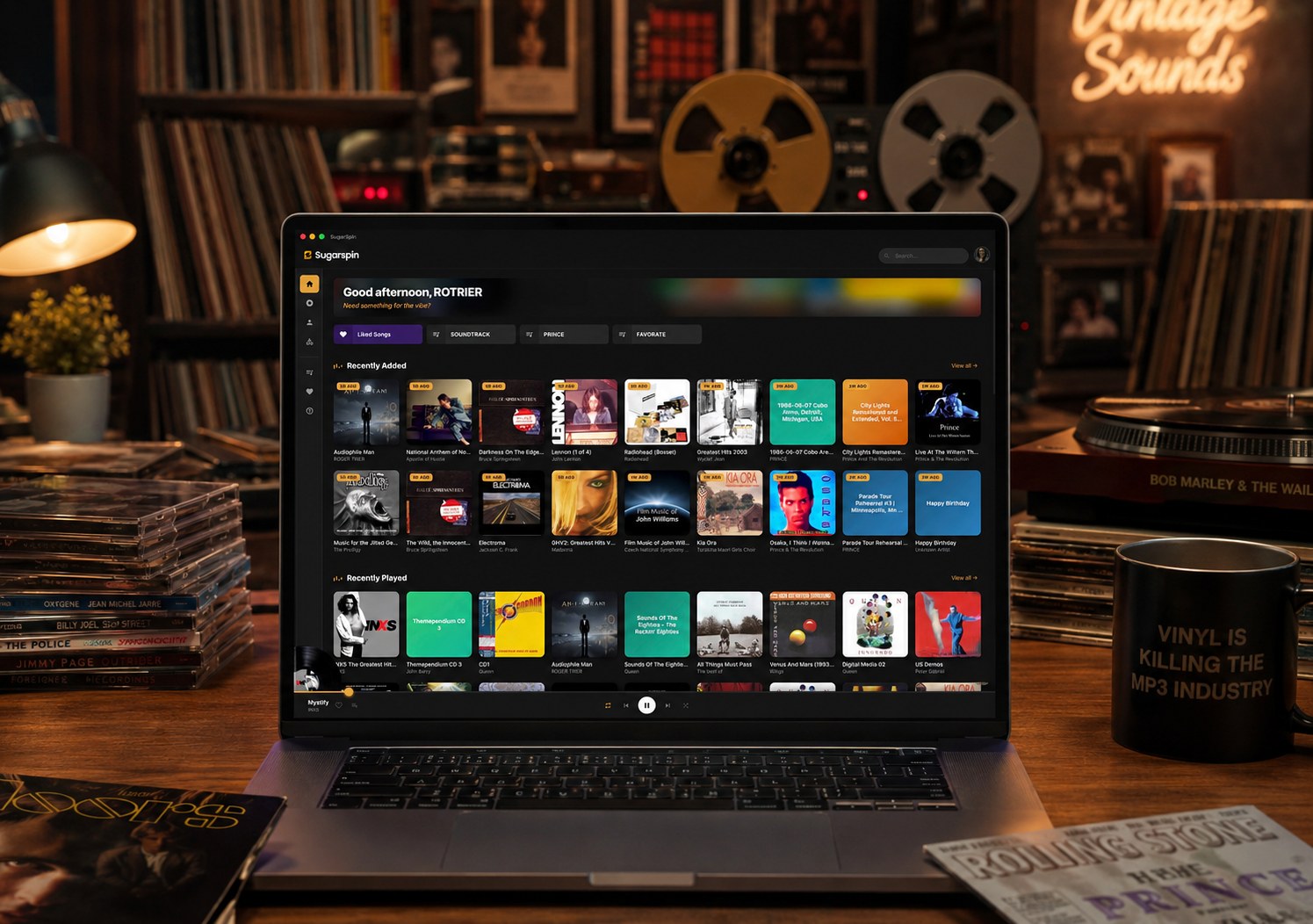
SugarSpin main screen on desktop
Desktop

Home, exactly where you left off.

Recently played, daily mix, favorites, all one click away the moment you open the app.
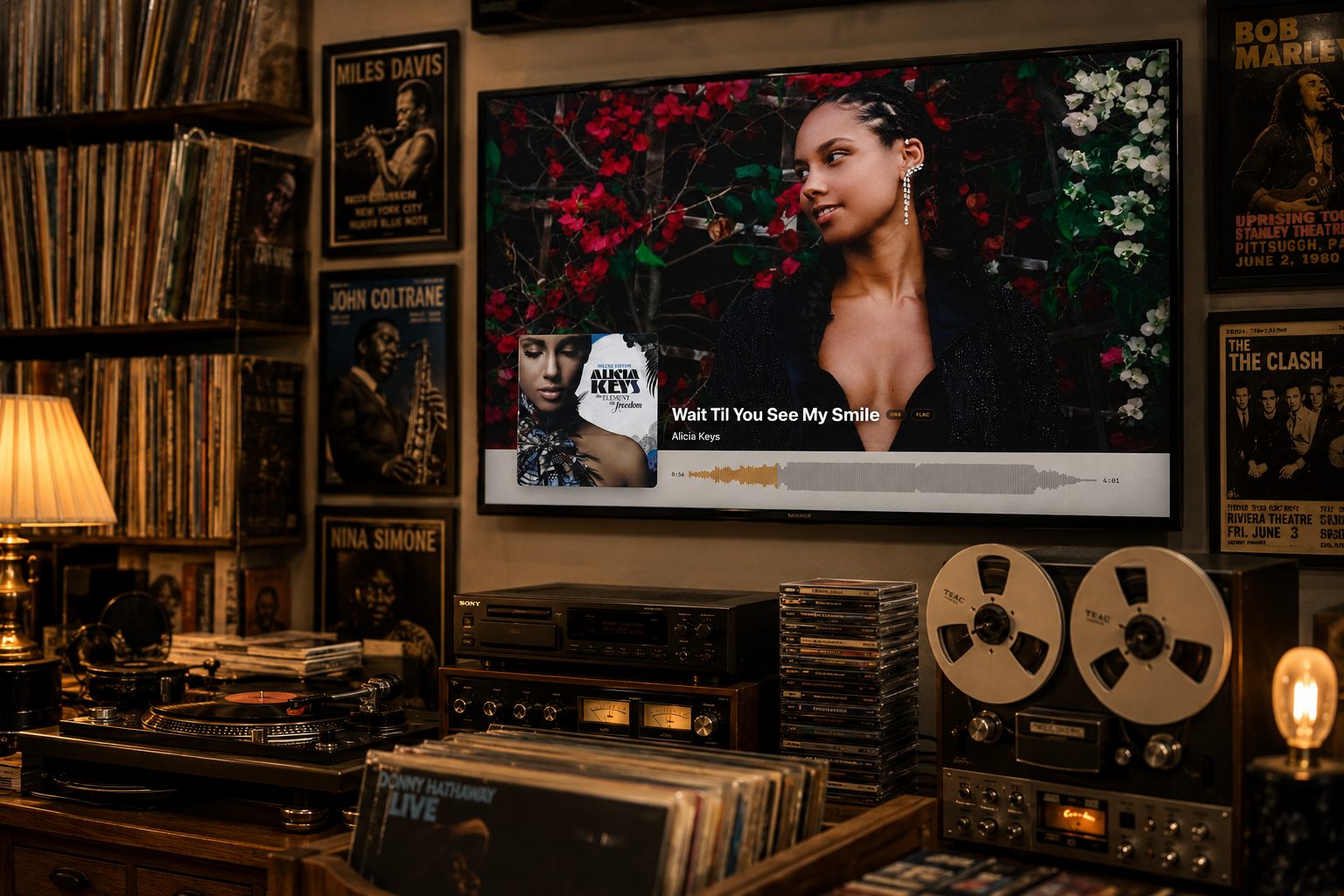
SugarSpin Stage Mode on a wall mounted TV, artist photo backdrop with live audio waveform and track info
Stage Mode · New

Put your music on the wall.

Full screen artist photos, a real scrubbable waveform, and the track's format and dynamic range on display. Hit Showtime.
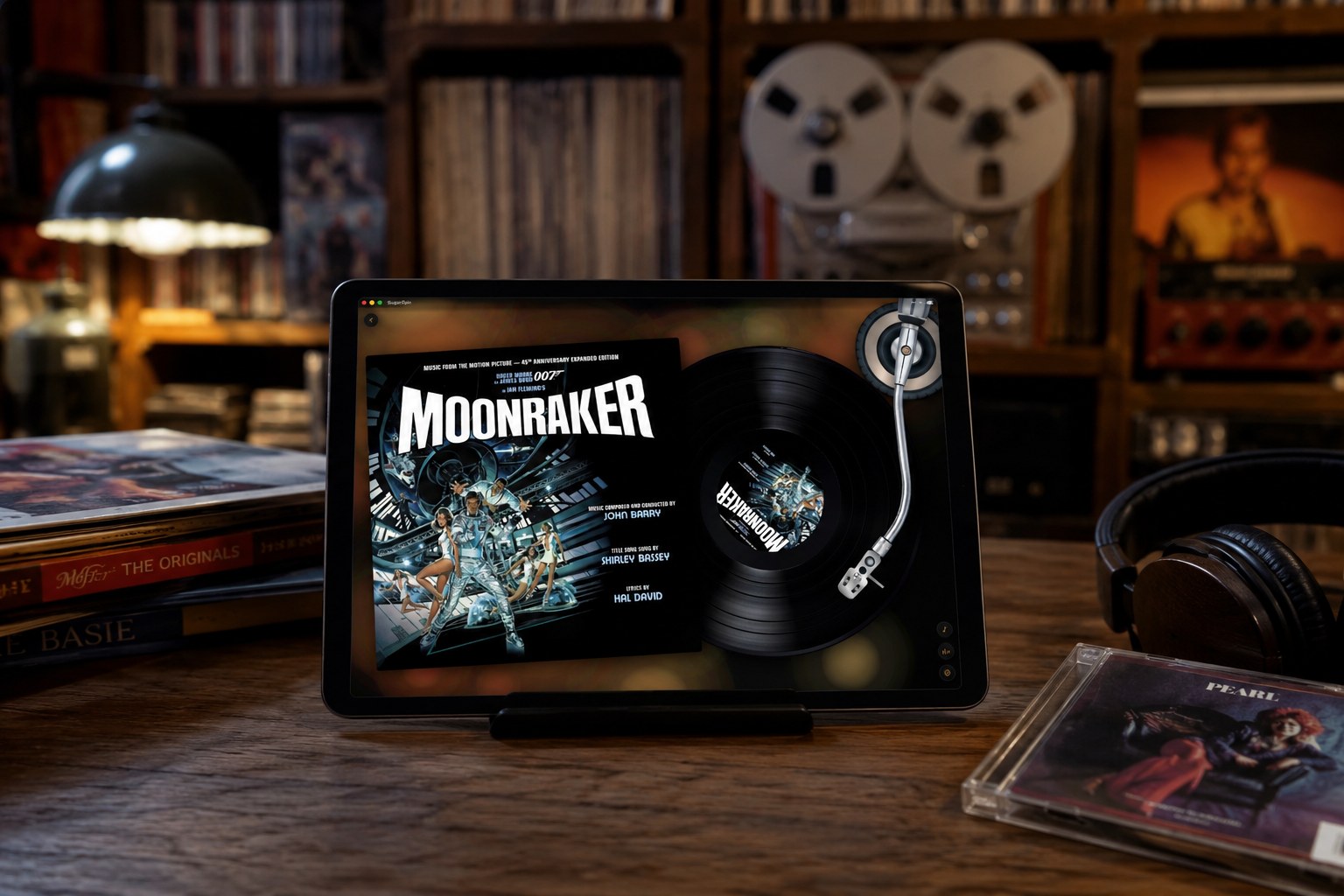
SugarSpin vinyl record view with spinning artwork
Vinyl View

The record spins. The tonearm tracks.

Your real album artwork on a spinning record. Click anywhere on the vinyl to seek.
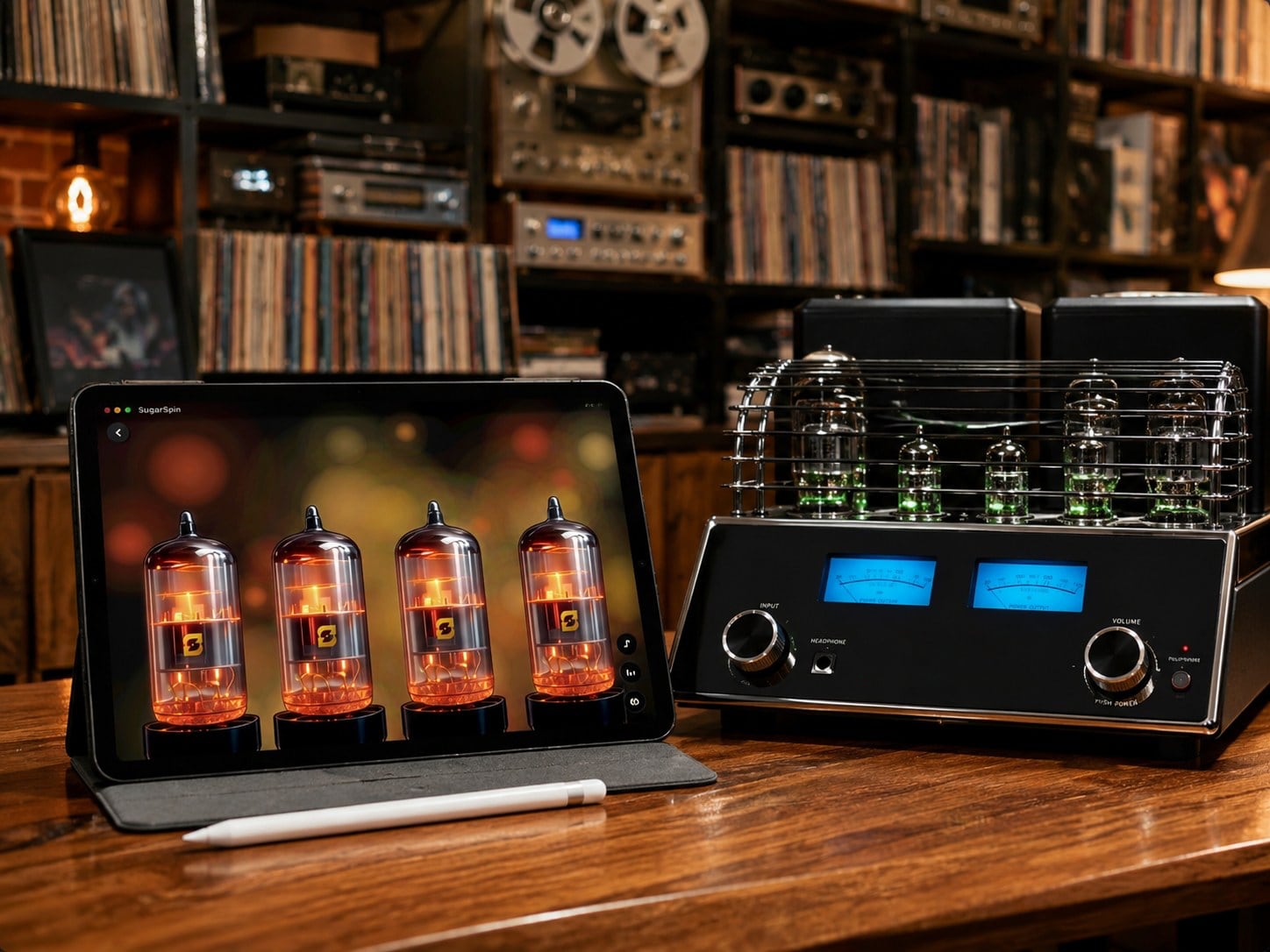
SugarSpin Tubes visualizer with four glowing vacuum tubes
Visualizers

Four tubes that breathe with the music.

Photoreal vacuum tubes glowing amber over a warm bokeh field. One of several immersive Now Playing views.
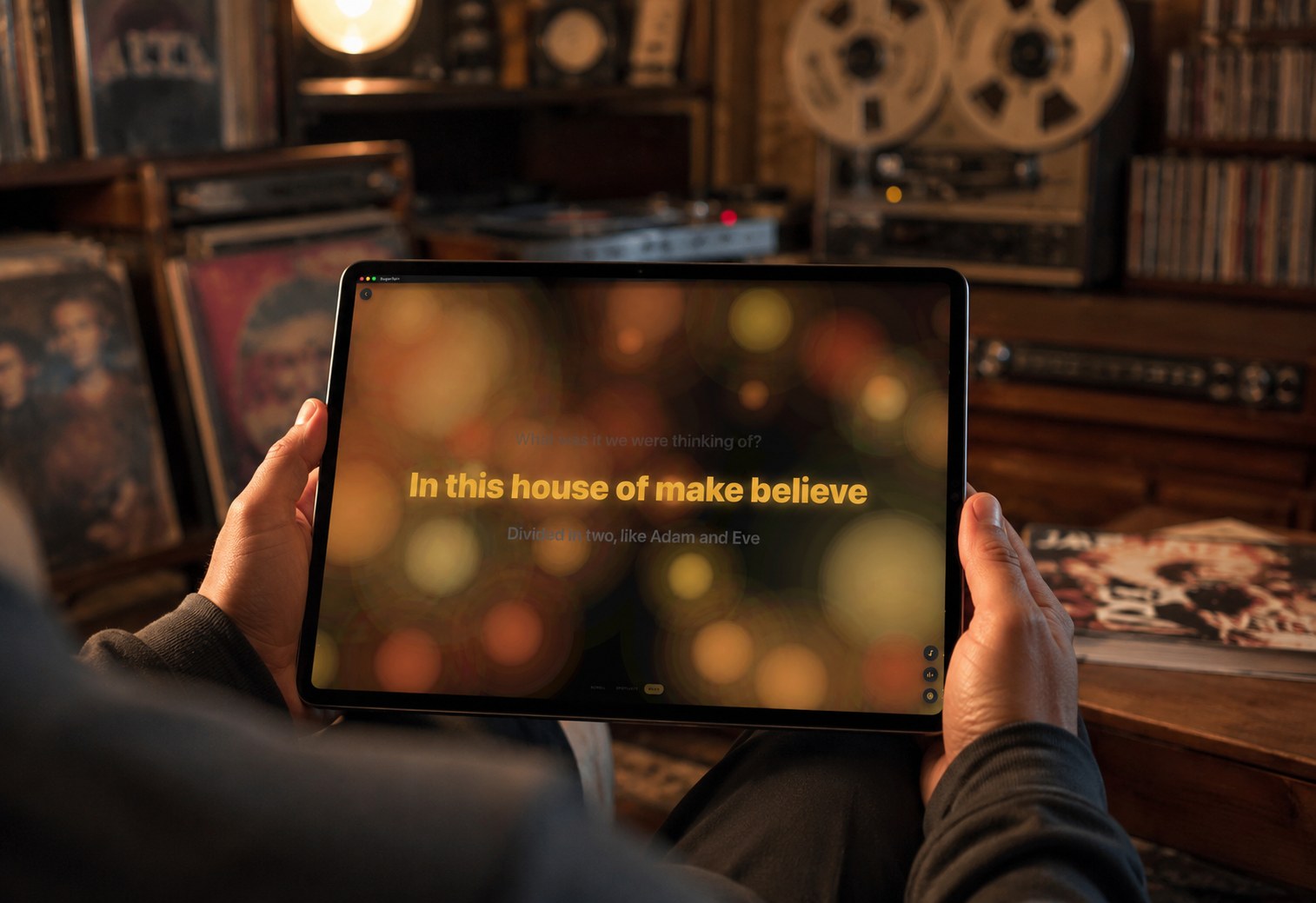
SugarSpin synced lyrics view
Lyrics

Synced lyrics, three animation styles.

Karaoke scroll, full screen Spotlight, or gentle Wave. Fetched and cached for every song that has them.
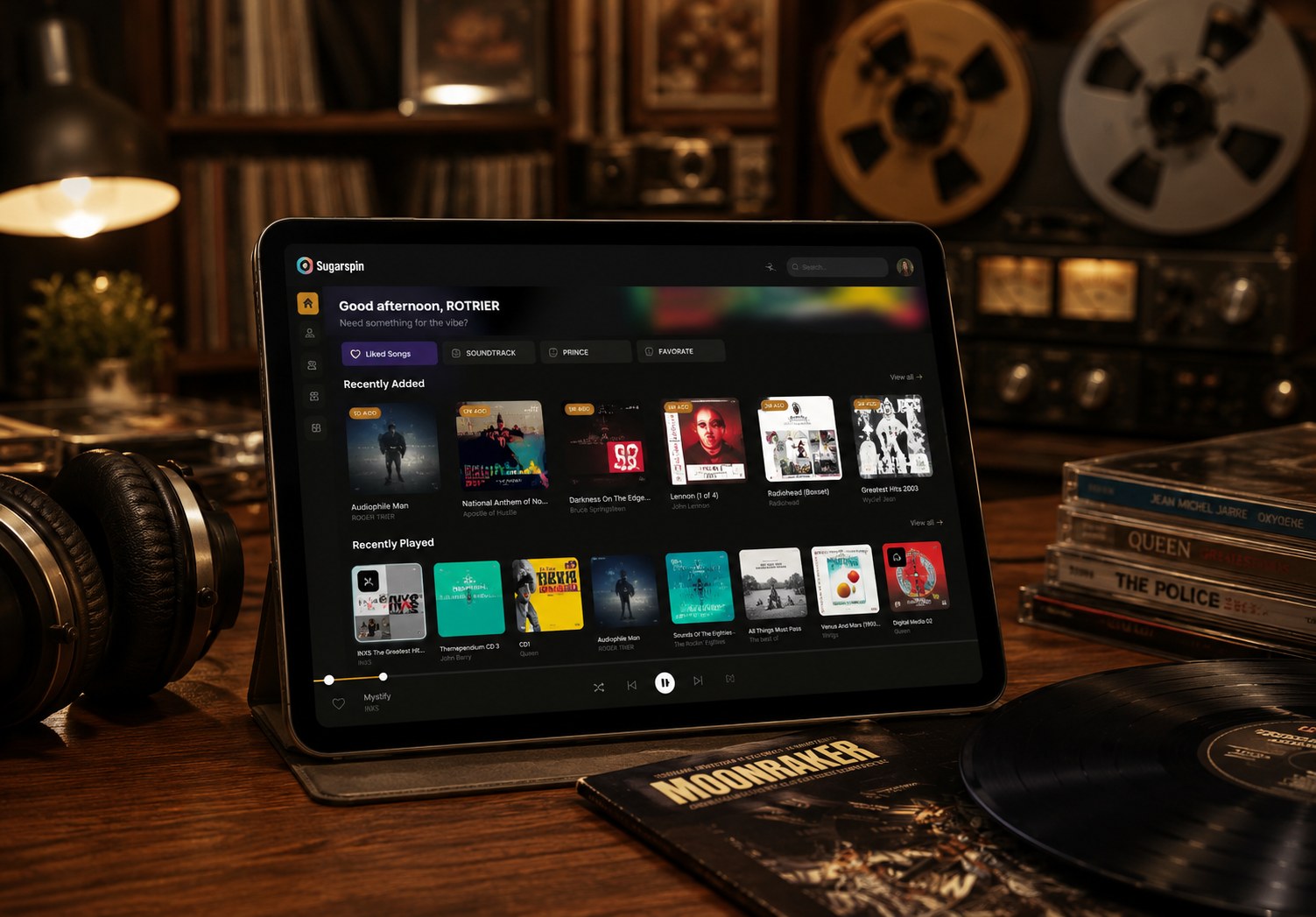
SugarSpin home page with recently played and daily mix
Library

Browse the way records were meant to be seen.

Big covers, tidy grids, decades and genres, all a click away. Smart categories auto organize your collection.
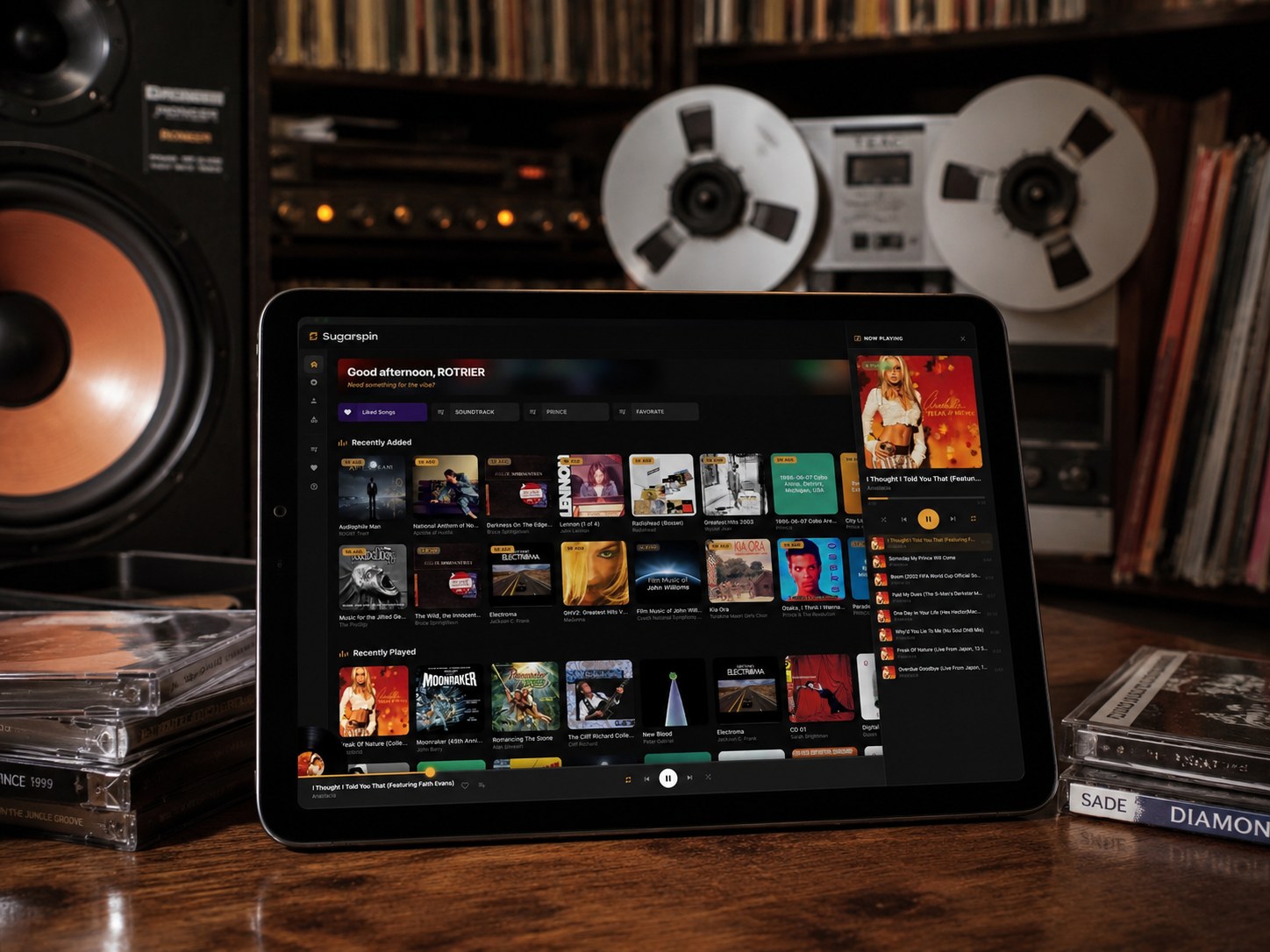
SugarSpin playlist view
Playlists

Build the perfect set, no algorithm required.

Hand pick your tracks, save your favorites, build playlists that last forever, not just for this month’s subscription.
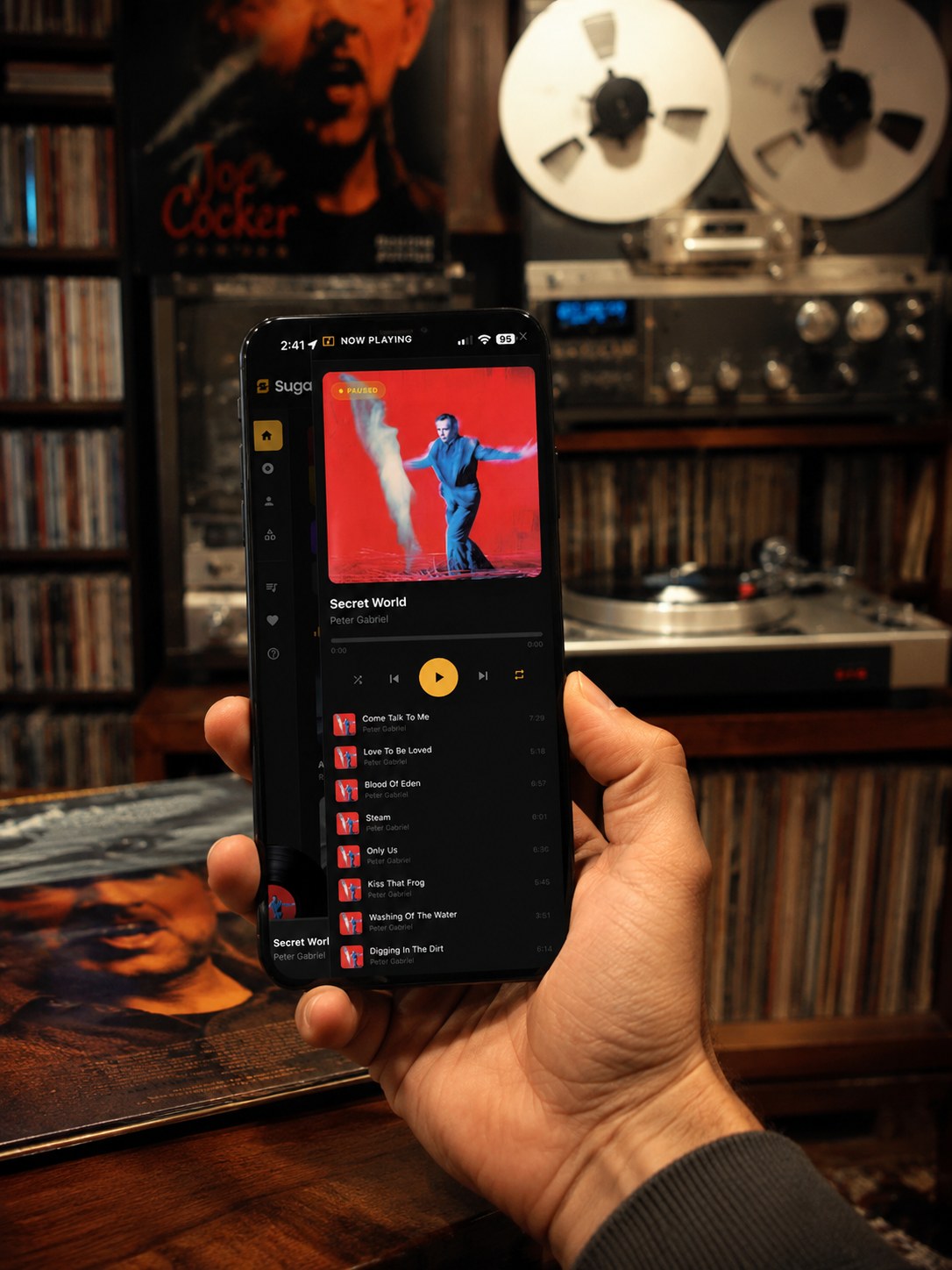
SugarSpin running on iPhone
iPhone & iPad

Your entire library, in your pocket.

Native iOS shell with lock screen Now Playing, CarPlay, and AirPlay wired in. Free with every license.
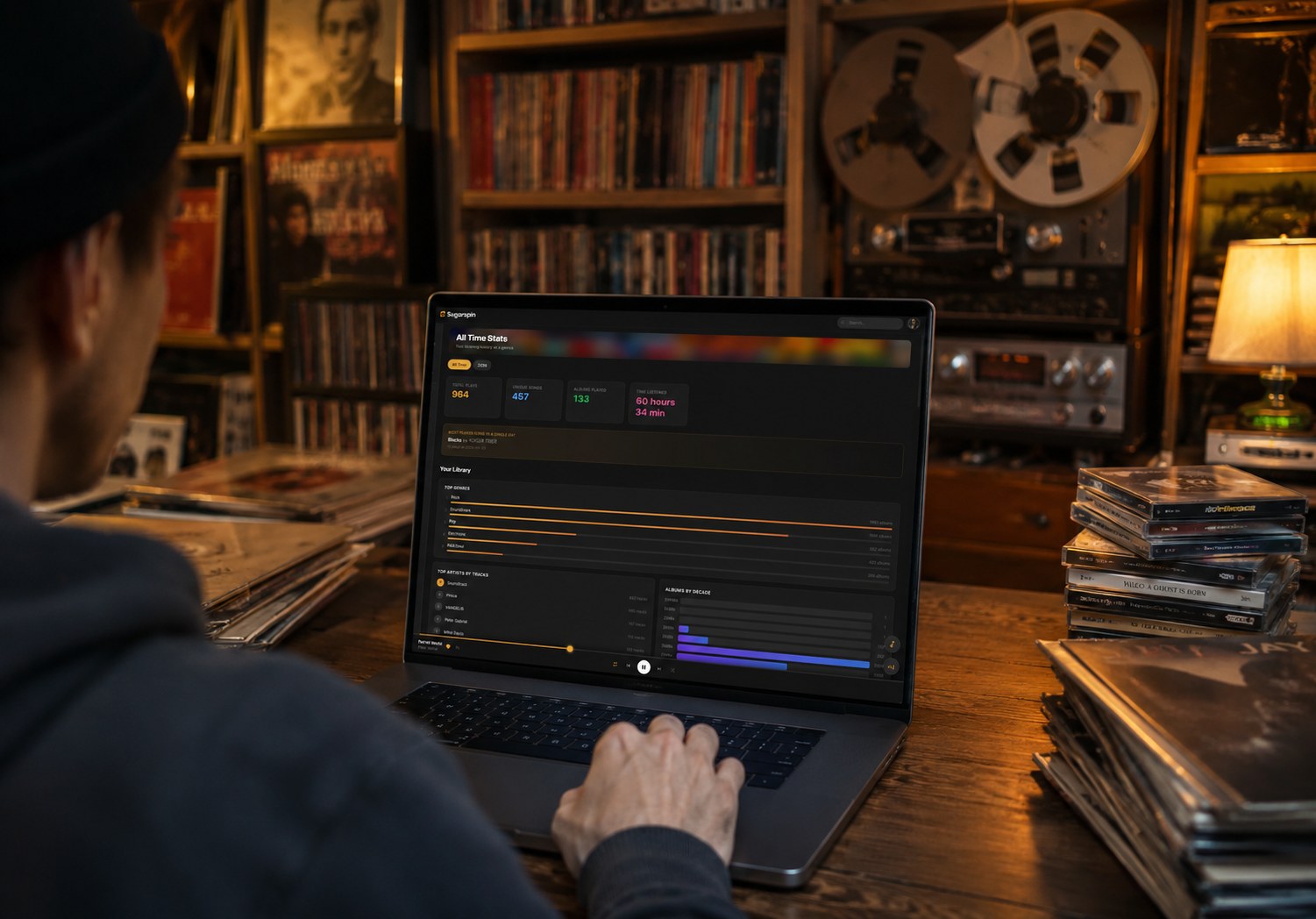
SugarSpin listening statistics and top tracks
Stats

The numbers behind your listening.

Top artists, most played tracks, listening time. Your data, on your server, nobody is selling it.
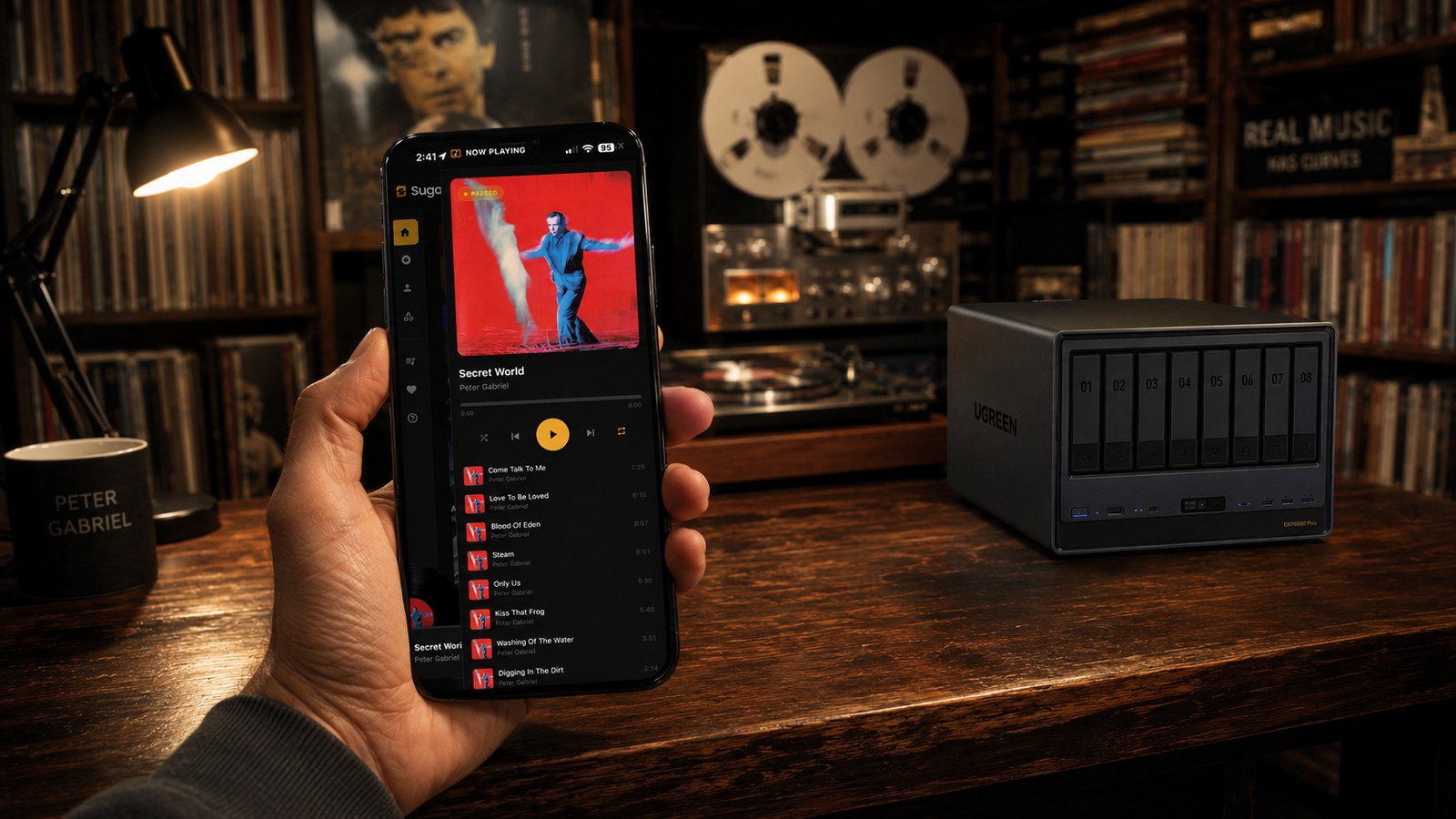
SugarSpin streaming from a NAS server to multiple devices
Anywhere

Your NAS to every device in the house.

Runs in Docker on Synology, QNAP, UGREEN, Unraid, TrueNAS, or any Mac, Windows, or Linux box.

Want to go deeper?

Three more places to dig in.

SugarSpin vinyl record player with spinning artwork on a desktop screen

Built for Collectors.
By a Collector.

I’m old school. I collect vinyl, cassettes, MiniDiscs, reel to reel, and I love the tactile of it. Dropping the needle. Pulling a record from its sleeve. Watching the tonearm track the groove. I built SugarSpin as a hybrid: to bring some of that feeling into a digital world that mostly forgot about it. Drag the tonearm to seek. Watch your real album art spin. It’s not the real thing, but it’s the closest I can get.

And I rip it all to digital too. Tapes degrade. Vinyl warps. One flood ends a collection forever. The originals stay home on the shelf where they belong; the digital copy goes everywhere you do. You can’t take a reel to reel on the bus. You can take SugarSpin.

  • Interactive vinyl player with your real album artwork spinning
  • VU meters & spectrum visualizer with bokeh backgrounds
  • Collection stats, listening history, advanced settings
  • Full screen immersive mode: lean back and just listen
  • 100% read only: your files are never modified

They Tried It.
They're Not Going Back.

Real collectors. Real libraries. Real reactions.

"I have 4TB of FLAC on my Synology and nothing played it beautifully until SugarSpin. The vinyl view alone is worth the price. My wife actually uses it now too."

M
Marcus T.
Synology DS920+ • 38K tracks

"Cancelled my big name lossless subscription after three years. All my music was already on my hard drive, and SugarSpin made it feel like the slick streaming app I used to pay for. Install took two minutes."

J
James K.
QNAP TS 464 • 85K tracks

"The vinyl view with the spinning record and tonearm is gorgeous. I put it on my TV while listening and it feels like having a turntable without the maintenance. Beautiful work."

R
Rachel M.
Unraid • 22K tracks • 600+ vinyl records

"I tried a few of the popular self hosted players first. They're fine for video, but none of them treated music with this kind of care. The album art, the categories, the obvious attention to detail, this was clearly built by somebody who actually listens."

D
David L.
TrueNAS Scale • 121K tracks

"One payment. No subscription. Just my music, on my server, looking gorgeous. I literally showed it to everyone at our record swap last weekend."

A
Andre P.
UGREEN DXP4800 • 45K tracks

"Set it up on my Synology, added it to my phone's home screen, and haven't opened the big streaming app since. The VU meters are pure ear candy. It feels like owning a hi fi rig."

S
Sarah W.
Synology DS1621+ • 67K tracks

Minutes, Not Hours.
That's It.

SugarSpin runs anywhere Docker runs, a NAS, a Mac, a Windows PC, or a Linux box. Once Docker is set up, it's one command to install, then point it at your music and press play. No plugins to hunt down, no player to assemble.

1

Install Docker

Install Docker on your NAS, Mac, Windows PC, or Linux machine. Then pull the SugarSpin image. One command, one container.

2

Point to Your Music

Open your browser, go to your server's address, and create your account. Then head to Settings, you'll find a clickable link to your music library right there. One click scans and indexes your entire collection.

3

Press Play

Your library is live. Browse albums, artists, and genres, queue up tracks, and enjoy on devices that can reach your SugarSpin server. Optional access away from home must be configured separately by the server owner. Need more help? Check the Install Guide.

For the listeners who actually listen

Built for People
Who Care About
The Original File.

If you ripped a vinyl LP to 24 bit / 96 kHz FLAC, you don’t want some app converting it to 192 kbps Opus behind your back. SugarSpin doesn’t. The file you put on the server is the file the player gets. Same bits, same depth, same sample rate, every time.

No Transcoding. No Resampling.

In your browser, on Mac, or on your phone, SugarSpin serves the original file and never transcodes or resamples it on the way out. A FLAC stays a FLAC. The one exception is a device that literally can't accept a format, and even then the result is still lossless.

Hi Res Friendly

24 bit / 96 kHz masters? 24 bit / 192 kHz? Even 32 bit float? They pass through unmodified. The original sample rate and bit depth ride straight from disk to playback, nothing resampled or capped. Your hi res collection finally has a home that respects every last bit.

Bit Perfect to Your Streamer

Cast to a Bluesound or NAD streamer (anything on BluOS) and the speaker pulls the raw file straight from SugarSpin, decoding the FLAC in its own DAC. The path is your hard drive, then your speaker, nothing in between touches it. No equalizer, no coloring, ever.

DR Per Track. Every Track.

NEW

Every file is scored with a TT-style dynamic range (DR) analysis on your own hardware. The Hi Res tab groups your library from Reference Grade (DR 14+) down to Brick Walled, and Mastering Versions shows duplicate pressings side by side, so you know which copy is the better master.

Supported formats, all played at native quality*

FLAC ALAC AIFF WAV OGG Vorbis OPUS AAC M4A MP3

Mix any of these in one library and SugarSpin plays each in the format it was encoded in — no conversion at scan time, no hidden second copy.

* A few formats can’t be sent as-is everywhere — most notably DSD, and when casting to certain hardware streamers that won’t accept a given container. In those cases SugarSpin transcodes the stream in real time to lossless PCM (or FLAC) so it still plays, doing everything possible to keep it faithful. Whenever your device can decode the original, it’s sent untouched. And full transparency: in a browser, playback still passes through the operating system’s audio engine, which no web app controls and which may resample at the final output stage. A fully bit-perfect path means casting to a BluOS streamer or a wired USB DAC — that’s where the term truly applies.

Mac app, iPhone & iPad app, web app.
Free with every license.

Native shells around the SugarSpin interface. Tiny, fast, with lock screen Now Playing, CarPlay, AirPlay, and proper menu bars wired in.

See the apps →

Pay Once. Own Your Music.
Forever.

Streaming services cost more every year, and at the end of it you don't own a single song. SugarSpin plays your personal library on every device in the house. It looks and feels like the streaming apps you're used to, just without the monthly bill. One payment. Done.

Free
$0
Free forever
  • Up to 500 tracks
  • Full web player
  • All audio formats
  • Playlists & favorites
  • Synced lyrics & Stage Mode
  • Tube Warmth & ReplayGain
  • Discover Daily & Smart Categories
  • Official iPhone app & CarPlay
  • Reachable BluOS / NAD casting
  • 1 server installation
  • 1 simultaneous client
Install Free
Pro
$59
Perpetual license · one-time purchase
  • Up to 10,000 tracks
  • All features included
  • All audio formats
  • Playlists & favorites
  • Synced lyrics & Stage Mode
  • Tube Warmth & ReplayGain
  • Discover Daily & Smart Categories
  • 1 server installation
  • Unlimited simultaneous clients
  • Third-party music apps / Android Auto
Buy Pro, $59

All prices in USD. One-time purchase, perpetual license — includes all updates for the current major version; future major versions may be offered as optional paid upgrades. No subscriptions, no renewals.

Your Collection Deserves
Better Than a Streaming App.

SugarSpin is here. Take your music back. Install free, or grab a Pro or Gold license for a bigger library.

Read the FAQ →